Cancelling an RMPD
Updated
This is how you cancel a filed RMPD when the trip will not happen or the declaration was filed by mistake. No PUESC portal and no declaration key.
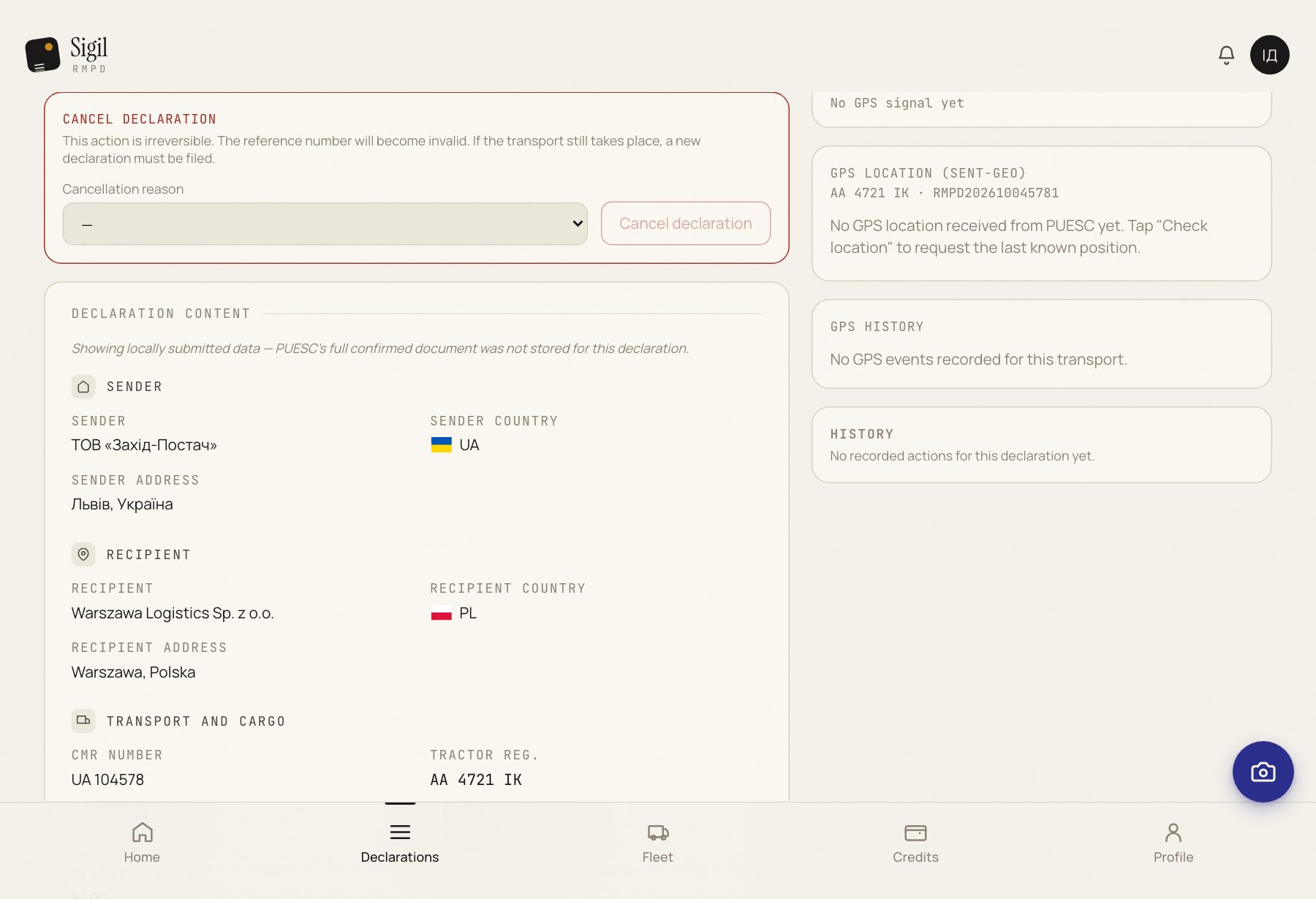
- Open the declaration in Declarations.
- Press Cancel declaration.
- Choose the Cancellation reason from the list. There are five; pick the one that really happened.
- Check the RMPD number in the dialog. A cancellation cannot be taken back.
- Press Yes, cancel declaration.
What happens next
The status becomes Cancelling… and a minute later Cancelled. The RMPD number is no longer valid. If the trip does happen after all, a new declaration is needed.
If something is wrong
- The status became Error. PUESC did not accept the cancellation; the reason is on the declaration page. The declaration stays registered.
- There is no button. Only a registered declaration, In transit, can be cancelled. A draft you simply delete.
- You cancelled the wrong one. It cannot be undone. File a new RMPD for that trip.
See also
A demo or training for your team
30 minutes online. We show how Sigil™ files an RMPD from a CMR and answer questions about your runs.