CMR quality requirements
Updated
Sigil reads what it sees. If you can read every line of the CMR on the photo yourself, Sigil can read it too. Check three things before uploading.
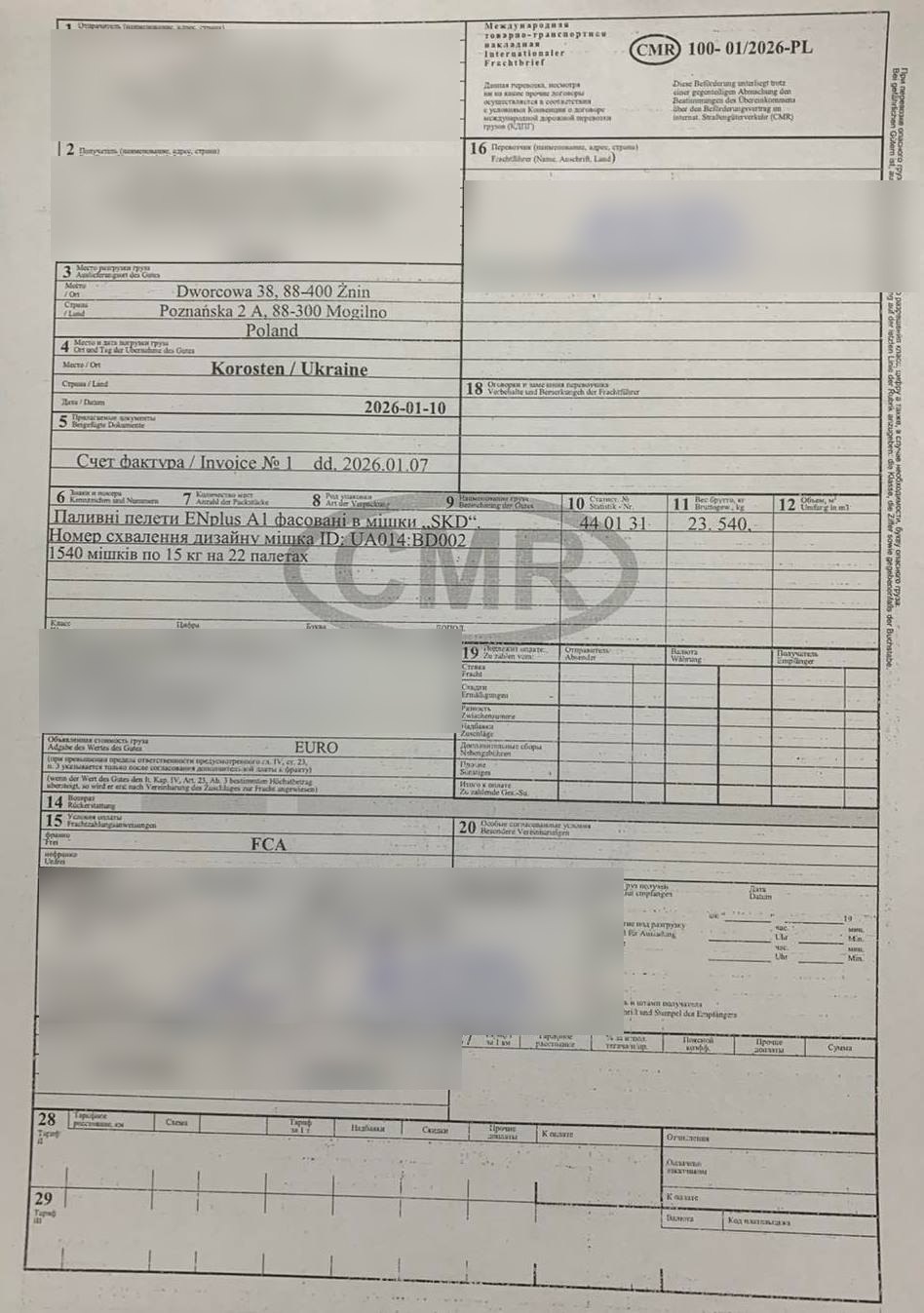
Three things
- The whole page in the frame. All four edges visible. A cropped edge is a cropped box.
- The text sharp. No blur, no glare from a sleeve or a lamp, no shadow from your hand. The CMR lies flat, the phone above it, not to the side.
- Nothing important covered. A stamp over the tractor plate or over an address means that field will have to be checked by hand.
What Sigil reads well
- printed text and handwriting, if it is legible;
- a phone photo, a scan, a PDF from e-mail;
- a CMR in any language: names and addresses are carried over as they are.
What reads badly
- ✕ a photo through a transparent sleeve or film;
- ✕ at an angle, sideways or upside down;
- ✕ a PDF that has been forwarded and compressed several times;
- ✕ a screenshot of a photo from a messenger.
If the CMR is poor and there is no better one
Upload what you have. Sigil fills in what it could, and you type the rest by hand from the paper. Where Sigil has doubts, a hint sits under the field: check those fields especially carefully.
The fine is for a difference between the CMR and the declaration. So what matters is not that the photo is pretty, but that exactly what is in the document ends up in the declaration.
See also
A demo or training for your team
30 minutes online. We show how Sigil™ files an RMPD from a CMR and answer questions about your runs.