An RMPD for an empty run
Updated
This is how you make an RMPD for an empty run: the truck has unloaded and is driving without cargo to its next loading. It is done from the previous declaration of that tractor in a minute.
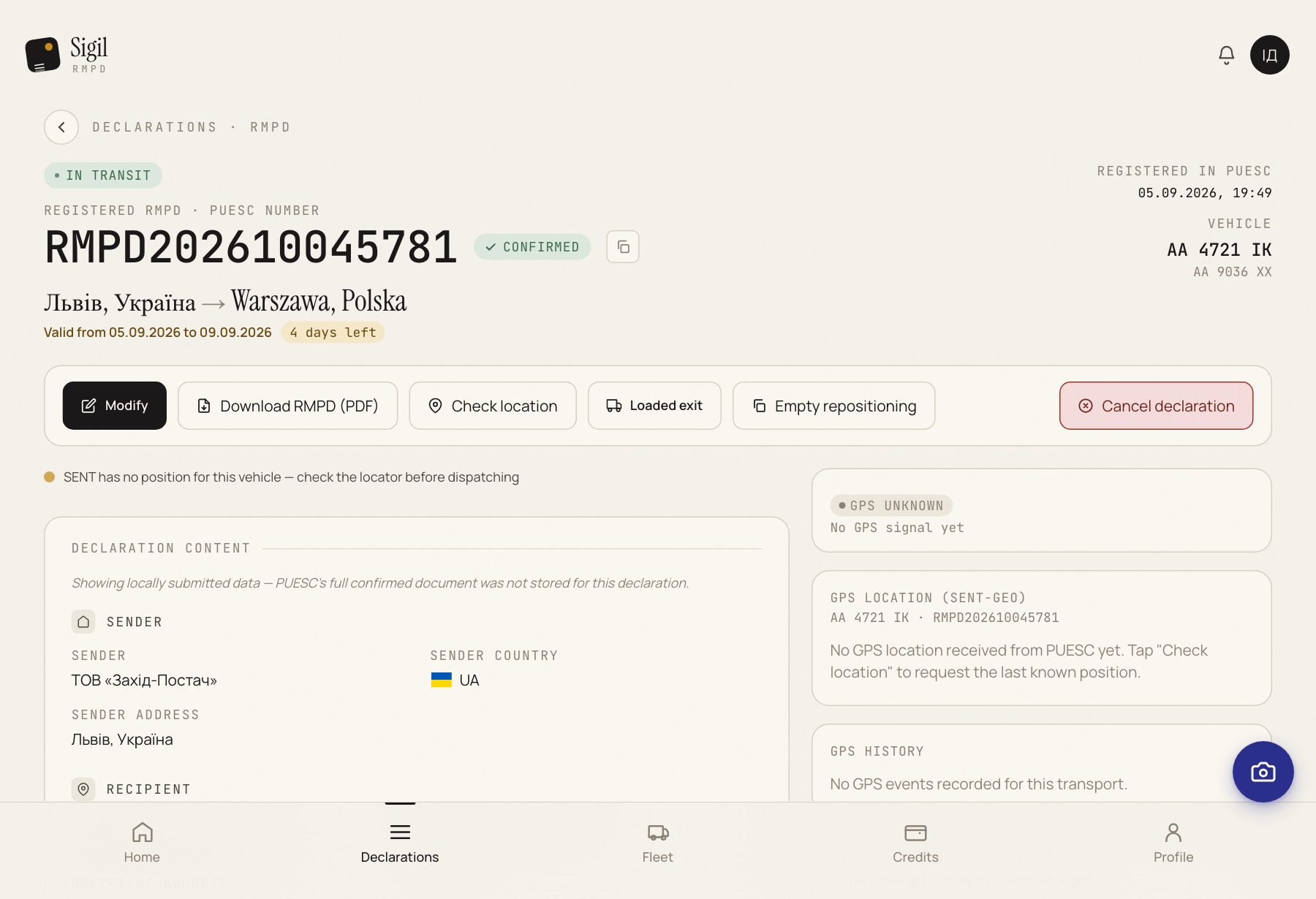
- Open the RMPD on which the tractor entered Poland with cargo and has just unloaded. Or the previous empty run, if the loading place gave it nothing and it drives on empty.
- Press Empty repositioning.
- Sigil opens a new declaration. Tractor, trailer, carrier and locator are already filled in. So is the starting point: the unloading place of the previous RMPD.
- Say where the truck is going. Press Addresses from PUESC history and pick the address if you have been there before. If the address is new, type it in by hand.
- Check both points: the start where you unloaded, the end where you will load.
- Tick I confirm that the data above is correct. This is an empty run — it carries no cargo and no CMR. and press All fields match — mark as Ready.
- Press Submit to PUESC.
What happens next
The previous RMPD becomes Completed, the new one In transit. That is how it should be: one tractor, one transport.
If something is wrong
- There is no Empty repositioning button. It is on the declaration of an entry with cargo and on an empty run, from Ready to submit to Completed. After a loaded exit it is gone: the tractor is already abroad.
- Any number of empty runs can follow each other: entry with cargo, empty, empty again, loaded exit. Each one is made from the previous one with the same button.
- The starting point is wrong. Fix it by hand, like any field.
See also
A demo or training for your team
30 minutes online. We show how Sigil™ files an RMPD from a CMR and answer questions about your runs.