Updating an RMPD
Updated
This is how you change an already filed RMPD: a different trailer, a different unloading address, a different date. No PUESC portal and no declaration key.
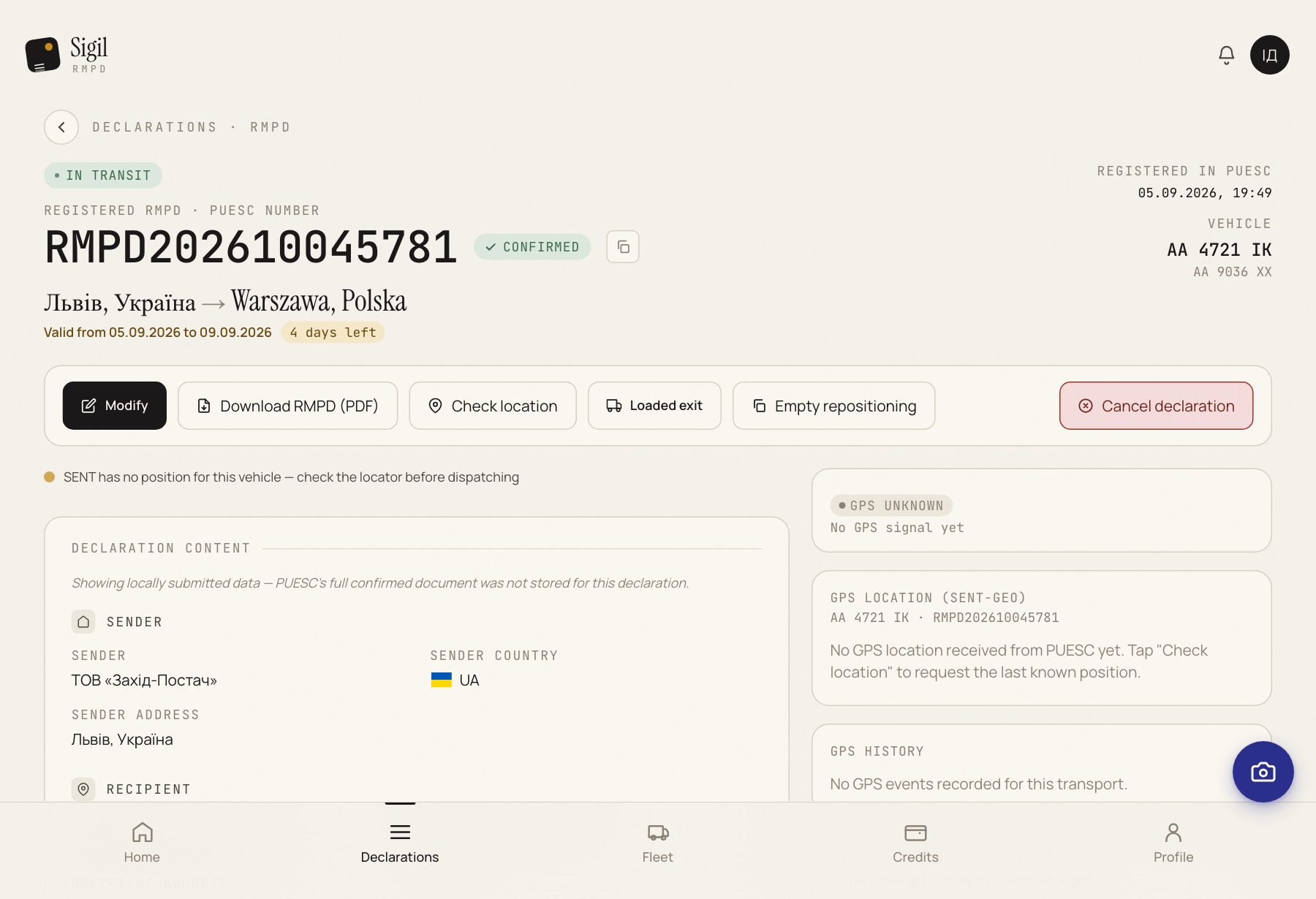
- Open the declaration in Declarations. Only one that is In transit can be changed.
- Press Modify.
- Fix the fields you need. Fields marked "Cannot be changed" PUESC does not accept after registration; if those are the ones you need to change, cancel the declaration and file a new one.
- Check everything once more against the documents.
- Press Update declaration.
What happens next
The status becomes Updating… and a minute later In transit again. That means PUESC accepted the changes. A record of the update appears on the declaration page.
If something is wrong
- The status became Error. PUESC rejected the change; the reason is written on the declaration page. The declaration stays registered with the old data. Fix what PUESC points at and press Modify again.
- There is no Modify button. The declaration is not registered yet or is already completed. Look at the status.
- Updating… hangs for a long time. Press Check status.
Change the RMPD before the truck drives with the new data, not after. The fine is for a difference between what is driving and what is registered.
See also
A demo or training for your team
30 minutes online. We show how Sigil™ files an RMPD from a CMR and answer questions about your runs.