Managing EKMT books
Updated
An EKMT book belongs to the carrier, not to the tractor: it is given to a truck for a trip and taken back when the truck returns. That is why the books sit in the company profile, and in the declaration you choose which book is travelling this time.
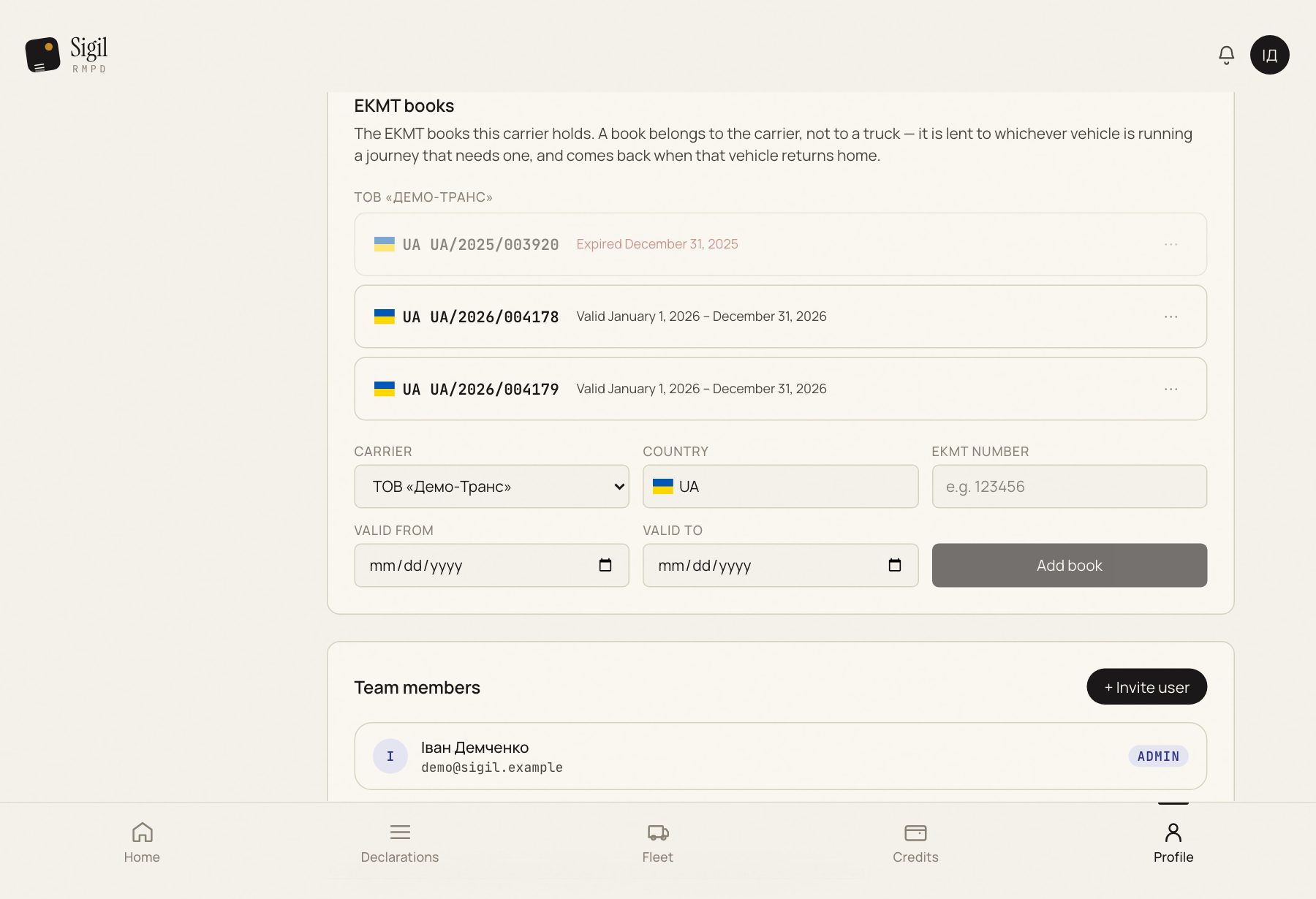
Where they are
Profile → Company profile → the "EKMT books" block. For each one you see the carrier, the number and the validity.
Where they come from
- From the PUESC history: the books you drove on during the year appear by themselves. Sigil takes the validity from the first PUESC confirmation naming that book; until then it says "Validity unknown".
- By hand: Add book. Adding an EKMT book.
How to use one in a declaration
In the RMPD form, in the permit section, start typing the number and Sigil suggests the books of the carrier you are filing for.
What to check
- Validity. A book marked "Expired" is no good for a new trip. Add a new one.
- The number. Compare with the paper book: a mistake in the number is a mistake in the declaration.
- The carrier. A book is tied to a carrier, not to your account. Several carriers, each with its own list.
Removing a book
Press Remove next to the book. Declarations in which it is already entered do not change.
Sigil stores the books and suggests them. Whether that book is really in the cab, only you know.
See also
A demo or training for your team
30 minutes online. We show how Sigil™ files an RMPD from a CMR and answer questions about your runs.