Setting up your profile
Updated
There are three things in the profile worth checking once: your name in Latin letters, a working e-mail, your password. After that you can leave it alone.
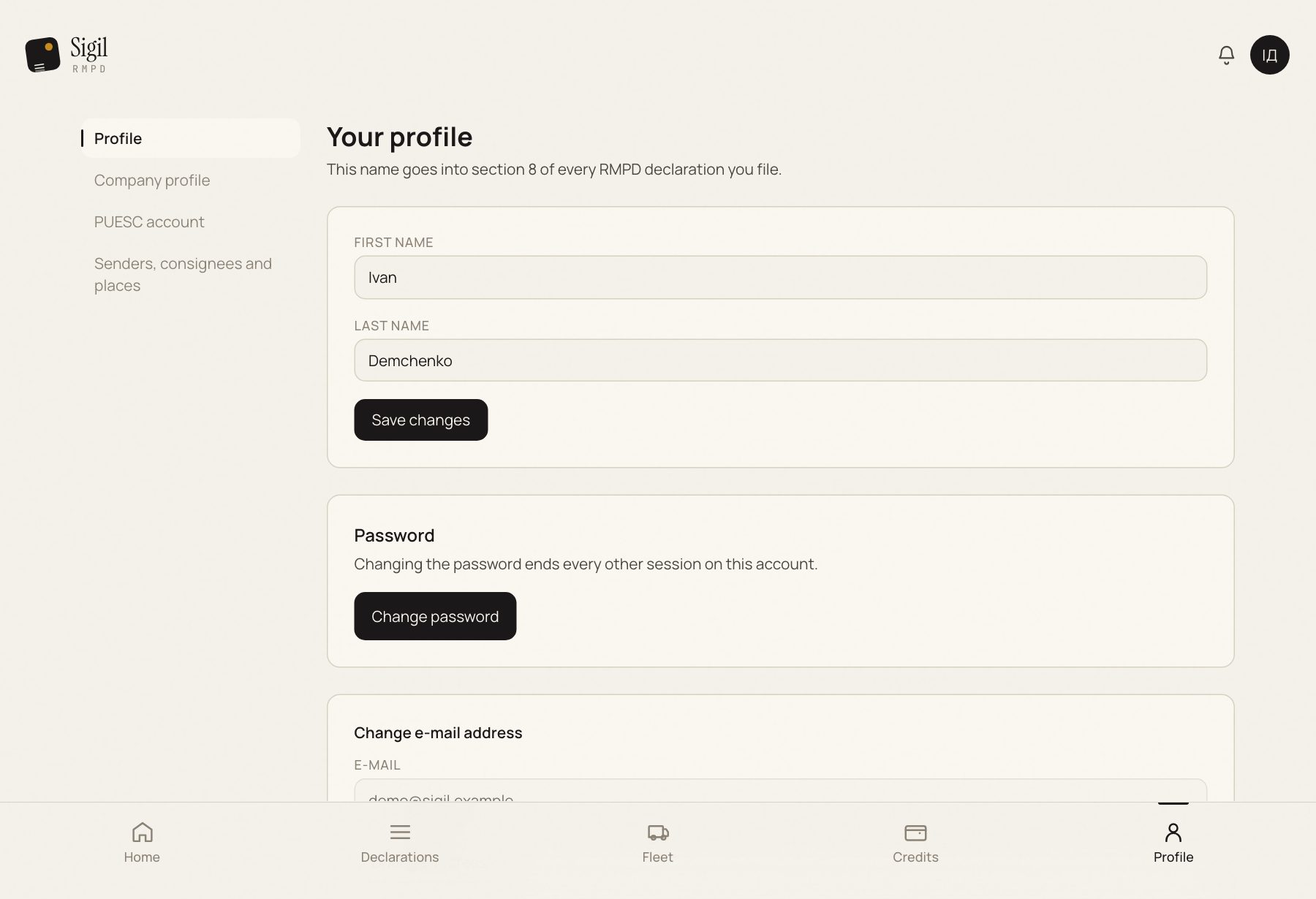
- Press your name in the top right and choose Profile.
- In the "Your profile" block check First name and Last name. They go into section 8 of every RMPD, so write them in Latin letters, as in your passport. If they are in Cyrillic, Sigil shows a warning.
- Fixed them: press Save changes.
- Below is the e-mail. It is your login and the address the password reset link goes to. To change it: Changing the e-mail.
- Further down is the password. You can change it right here; there is a Suggest a strong password button that generates one for you.
What else is in the profile
- Company profile: the carriers you file for and their EKMT books.
- PUESC account: PUESC login, environment, history sync.
- Language and Appearance in the user menu: Language and interface.
Do not work under someone else's account. The name from the profile goes into every declaration, and the action log shows who did what.
See also
A demo or training for your team
30 minutes online. We show how Sigil™ files an RMPD from a CMR and answer questions about your runs.