Checking GPS on a declaration
Updated
Watch the videoThis is how you check whether PUESC can see this truck's locator. You do it on a registered declaration, when the signal is gone or a roadside check asks for the last position.
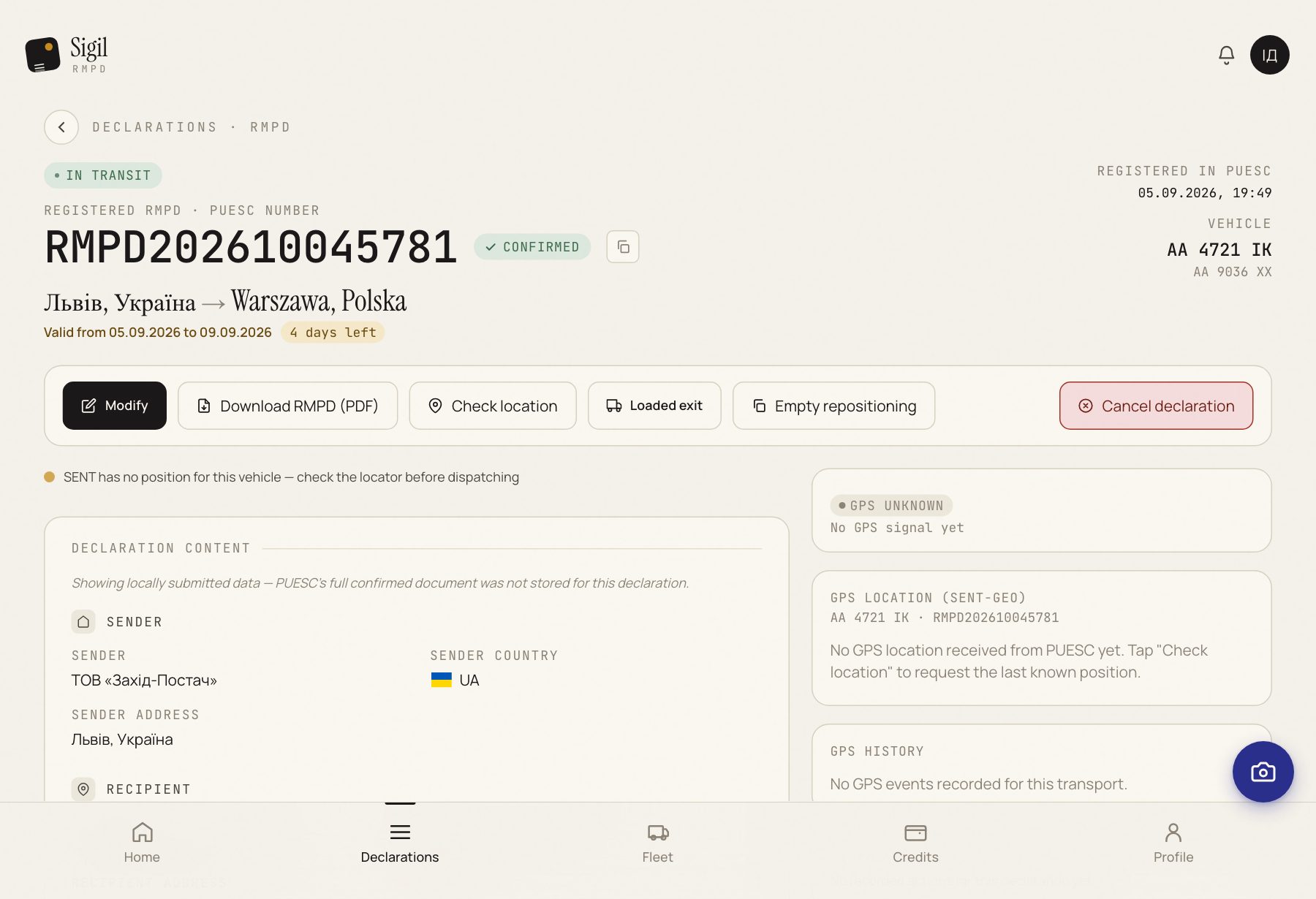
- In Declarations, open a declaration with the status In transit.
- In the row of buttons above the declaration data, press Check location.
- Read the block “GPS location (SENT-GEO)”. It shows the last position and the time the register recorded it.
What happens next
A fresh position means PUESC can see the truck. No position means check the locator.
If something is wrong
- The button is missing. It appears only on a declaration In transit, and only until the transport end date.
- There is no position. PUESC received no signal. Check the locator number on the declaration and the device power.
- The declaration shows under the GPS problem filter in the list. Open it and press the button to ask PUESC again.
See also
A demo or training for your team
30 minutes online. We show how Sigil™ files an RMPD from a CMR and answer questions about your runs.