Downloading the RMPD as a PDF
Updated
Watch the videoThis is how you download a PDF of a registered declaration. The file is for the driver and for a roadside check. PUESC does not issue this printout itself.
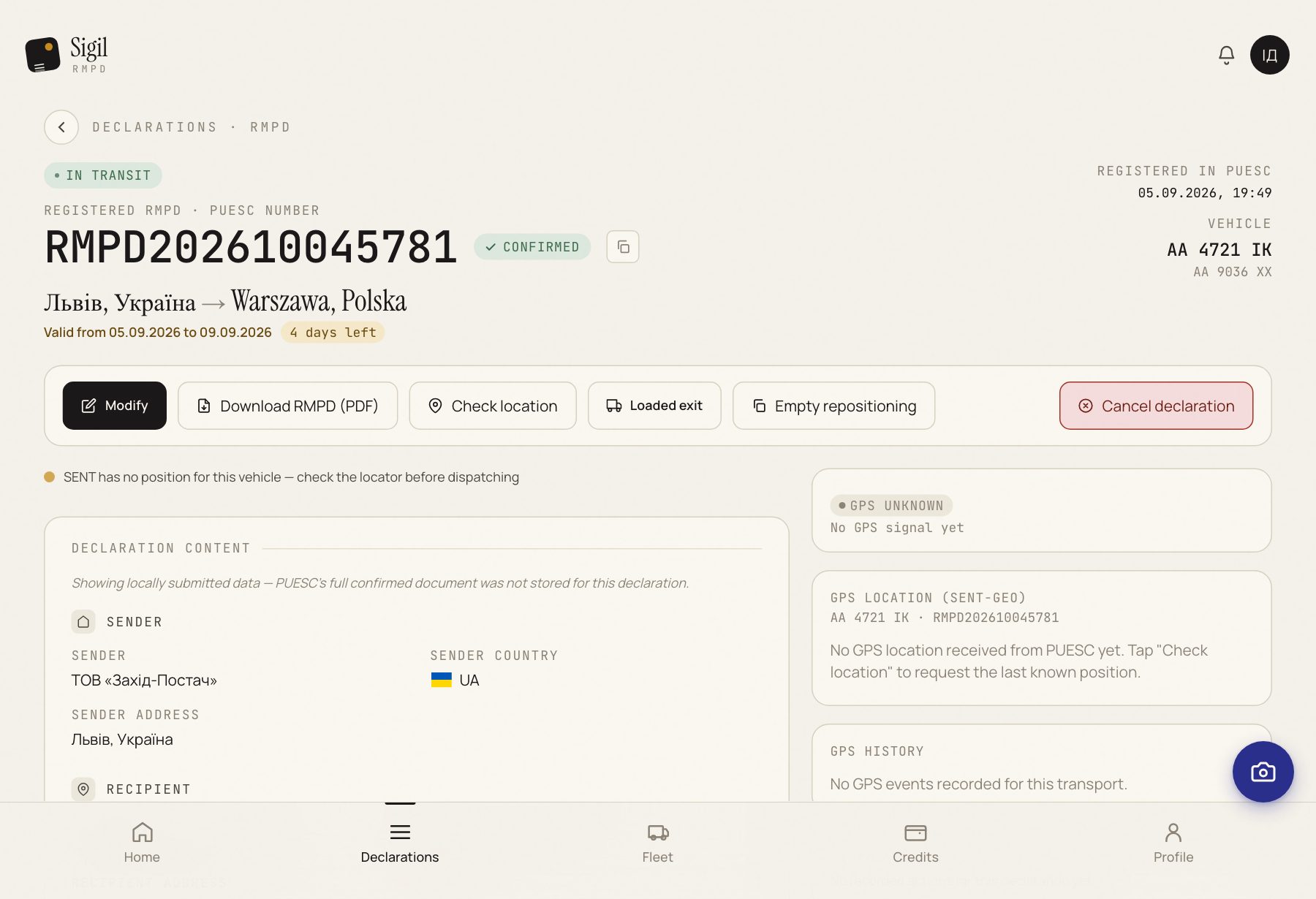
- Open the declaration in Declarations.
- Press Download RMPD (PDF).
- In the window “Printout language”, choose the language of the document. Ukrainian, Polish, English or Russian.
- The file saves on the phone. The name starts with the RMPD number.
What happens next
Give the file to the driver in the language the roadside check will read.
If something is wrong
- The button is missing. There is no RMPD number yet. The PDF appears after PUESC registers the declaration.
- “Could not generate the PDF.” Press the button again. If it keeps failing, write through contacts.
See also
A demo or training for your team
30 minutes online. We show how Sigil™ files an RMPD from a CMR and answer questions about your runs.